

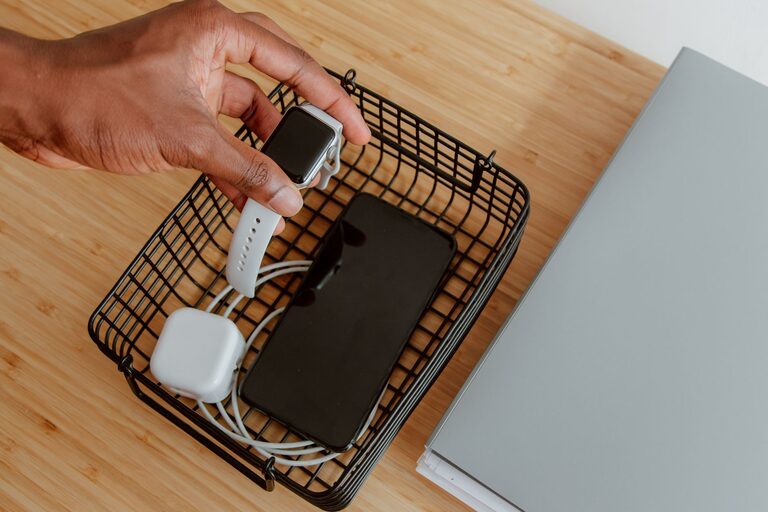
Setting up a dedicated charging station for your devices can simplify your daily routine and keep your gadgets ready to use. Whether you have smartphones, tablets, smartwatches, or other rechargeable electronics, having a central spot for charging reduces clutter and cable chaos. In this guide, we’ll walk through the steps to create a neat and efficient charging station that fits your needs.
Why Set Up a Charging Station?
A charging station helps you:
– Keep all devices in one place
– Reduce tangled cables and mess
– Monitor device charging easily
– Improve safety by minimizing cable damage and overheating risks
By organizing your charging needs, you save time and prolong the life of your devices and accessories.
Choosing the Right Location
Selecting a good spot for your charging station is essential. Consider:
– Accessibility: Pick a place frequently used, such as a living room corner, desk, or kitchen counter.
– Power Source Proximity: Ensure there’s a nearby electrical outlet or power strip for easy plug-in.
– Ventilation: Avoid enclosed spaces to prevent overheating.
– Safety: Keep away from water sources or areas prone to spills.
A flat, stable surface near an outlet is usually ideal.
Gathering Necessary Supplies
Before you start, gather these items:
– Power strip with surge protection
– Multi-port USB charger or individual chargers
– Charging cables for each device (consider cable lengths)
– Charging station organizer or a DIY container
– Cable management tools (zip ties, cable clips, or sleeves)
– Labels or tags (optional)
– Small tray or box to hold accessories like earbuds or adapters
You can find ready-made charging stations online or use containers with compartments for a custom setup.
Organizing the Charging Station
Step 1: Sort Your Devices and Accessories
Make a list of all devices to charge regularly. This could include phones, tablets, fitness trackers, wireless headphones, and more. Check the type of charging ports each device uses (USB-C, Lightning, Micro-USB) and ensure you have suitable cables.
Step 2: Set Up Power Sources
Plug your power strip into the wall outlet and connect your chargers. If using a multi-port USB charger, connect it to the power strip. This setup reduces the number of wall outlets needed and centralizes power flow.
Step 3: Arrange the Devices
Place your devices on or inside the charging station organizer. Position them so cables reach comfortably without stretching or bending excessively. If you don’t have an organizer, arrange devices neatly on a tray or flat surface.
Step 4: Manage the Cables
Use cable clips or sleeves to bundle excess cable length and prevent tangling. Zip ties are helpful but avoid tightening too much to protect cable integrity. Routing cables behind the organizer or desk can keep them out of sight.
Step 5: Labeling (Optional)
If several similar cables are present, labels help quickly identify which device each cable belongs to. This is especially useful for family charging stations.
Additional Tips for a Great Charging Station
– Use Fast Chargers: Consider chargers that support fast charging for devices that can take advantage of it.
– Wireless Charging: Incorporate a wireless charging pad for compatible phones and earbuds to reduce cable use.
– Safety First: Avoid overloading power strips and chargers; check their power ratings and match them with device requirements.
– Keep It Clean: Regularly dust and check cables for wear or damage.
– Portable Station: For travel, use a compact, foldable charging station or bag organizer.
Maintenance and Troubleshooting
– Check Connections: Regularly confirm that cables and chargers are firmly connected and not frayed.
– Monitor Charging: Avoid leaving devices charging overnight to prevent overheating.
– Replace Old Components: Swap out worn cables or chargers promptly to maintain efficiency and safety.
– Keep Spare Cables: Having extra cables on hand prevents disruptions if one breaks or is lost.
Conclusion
Creating a personalized charging station is a simple project that can make your life easier and your devices more accessible. By carefully choosing a location, gathering the right equipment, and organizing your devices and cables, you can maintain a tidy, efficient, and safe charging area in your home. Start small with a basic setup, then expand as you add more technology to your daily routine. Your devices will thank you!